.png)
GirlTREK Underground App: Challenges
Challenges: How They Work and How to Create or Join
Challenges give you a concrete way to move with the GirlTREK community — toward a shared goal, a friendly competition, or a habit you build one day at a time.
What is a Challenge?
A Challenge is a time-bound walking activity built around a measurable goal — steps, minutes walked, or distance. Some run for a single day, others for a week or a full month. Whatever the shape, the idea is the same: a clear, motivating way to keep moving alongside other women walking with you.
Challenges are the physical call to action behind GirlTREK's campaigns. They turn the reason we walk into something you can actually do — on your own, within your Crew, or across a whole region.
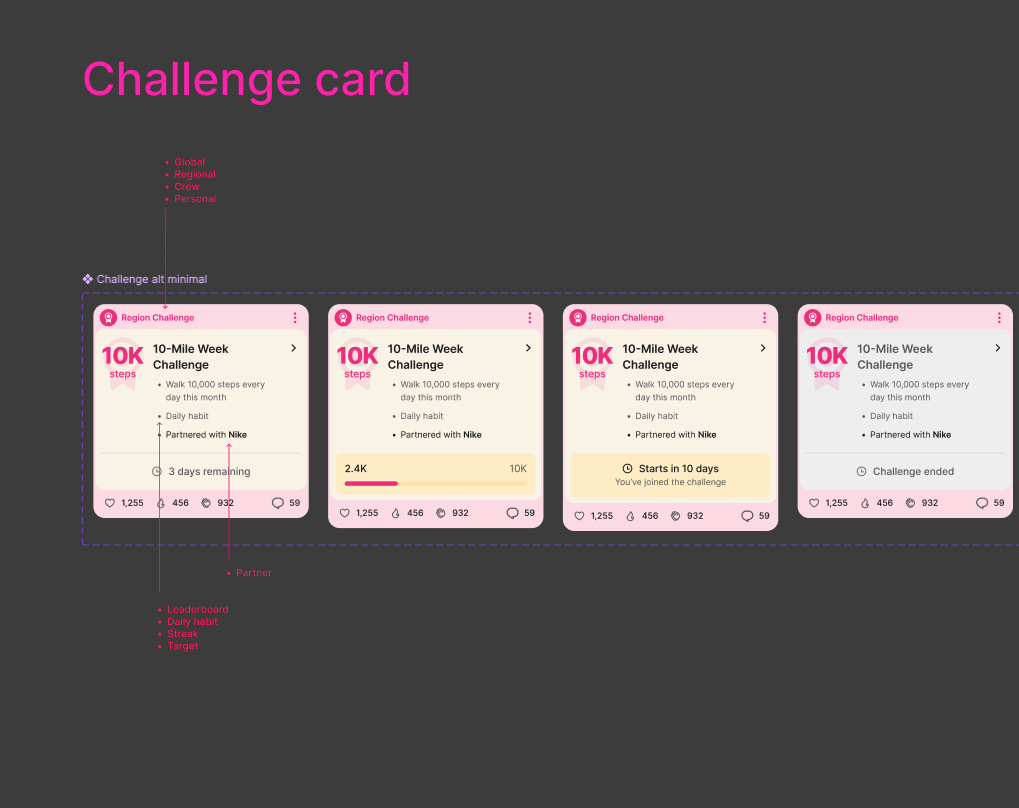
Every Challenge appears as a card showing its audience, goal, mode, partner, and current status.
The four Challenge modes
Every Challenge runs in one of four modes. The mode tells you how you make progress and how you win.
Compete for the top spot
Members are ranked against each other — walk more to climb the leaderboard.
Hit a goal every day
Complete the same goal each day of the Challenge, like walking 30 minutes daily.
Keep the streak alive
Maintain consecutive days of activity — for example, walk 5 days in a set week.
Reach a cumulative goal
Work toward a total by an end date, on your own (Personal) or together (Group).
How to find a Challenge
There are two main ways to discover Challenges in the app:
- The Recommended tab surfaces Challenges matched to your profile and community affiliations, so the ones most relevant to you show up automatically — no searching required.
- Browsing the tabs lets you look through My Challenges, Crew Challenges, and Partner Challenges to see what's active right now.
Want to narrow things down? Use the Filter tool to search Challenges by audience, mode (Leaderboard, Daily Habit, Streak, or Target), location, affinity, and status — handy when you're looking for something aligned to a specific goal or community.
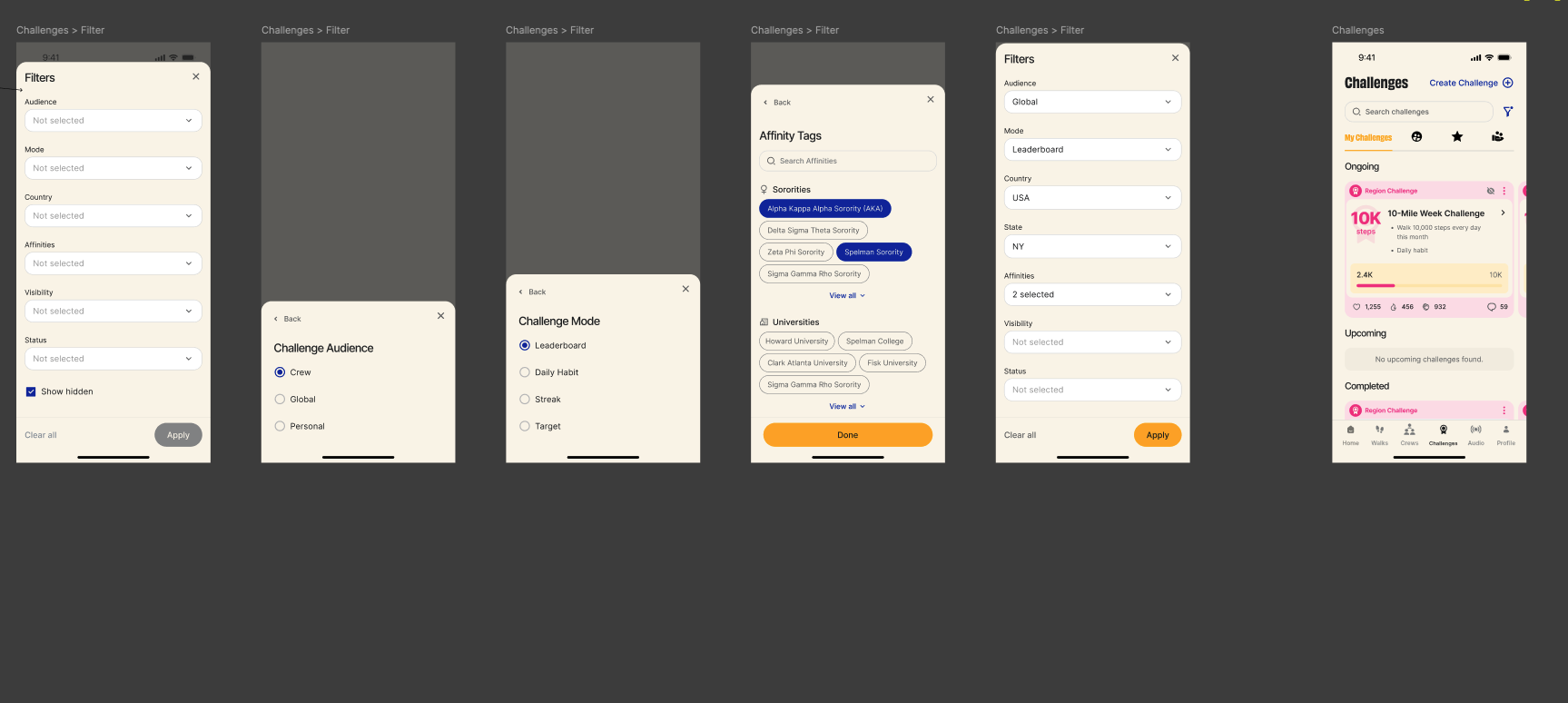
The Filter tool lets you narrow Challenges by audience, mode, location, affinity, and more.
Tip: Some Challenges are partner-driven — created in partnership with organizations like Peloton or Nike. You'll see the partner noted on the Challenge card.
How to join
Joining takes just a moment:
- Open the Challenge from the Recommended tab, a browsing tab, or your filtered results.
- Review the details — the goal, the mode, the dates, and any affinity tags.
- Tap Join Challenge. Your progress will start counting toward the goal, and you'll see it reflected on the Challenge's overview or leaderboard.
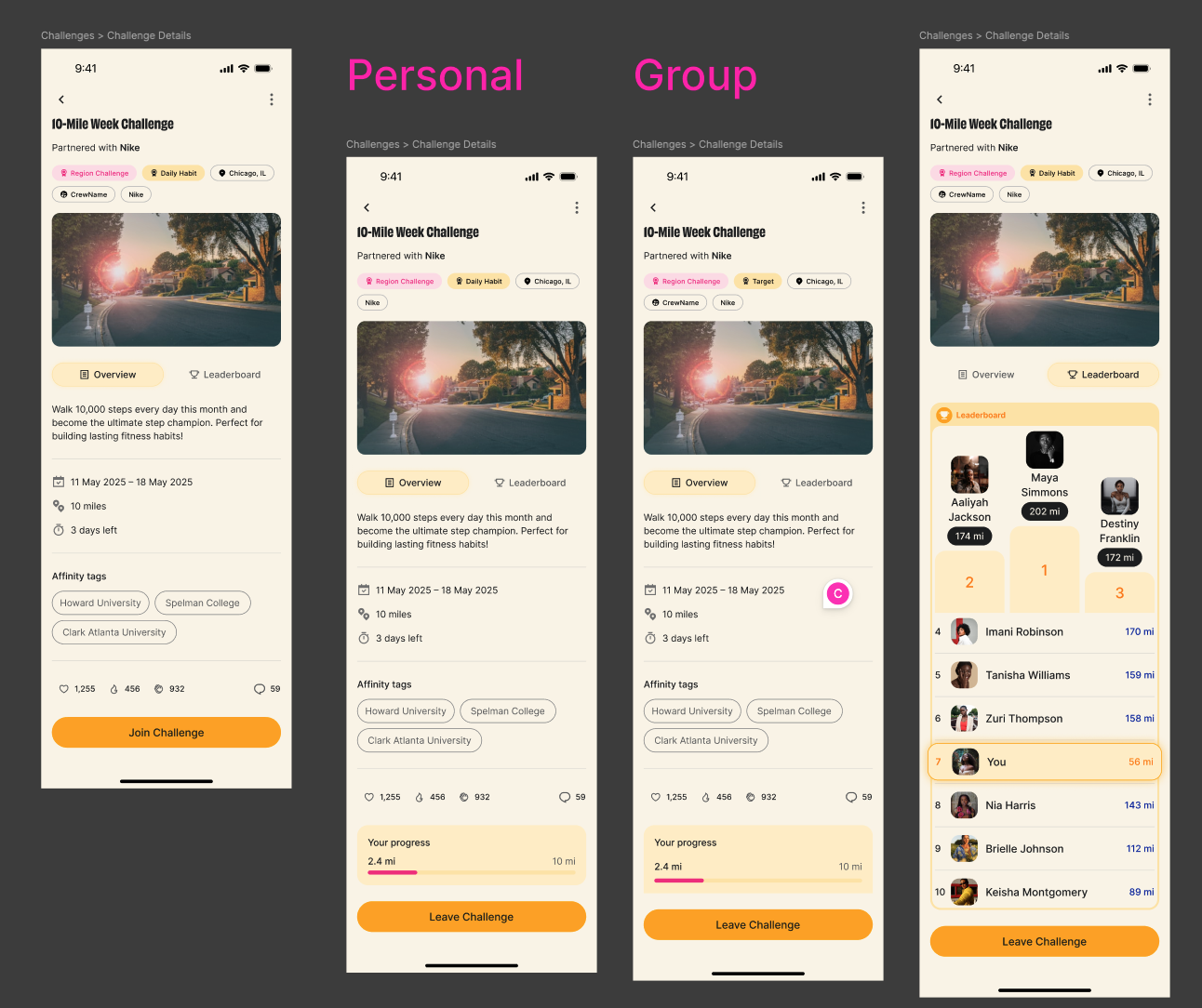
On a Challenge's details screen you can join, track your progress, and — for Leaderboard Challenges — see where you rank.
Create your own Challenge in a Crew
You don't have to wait for a Challenge to appear — you can start one for your Crew and rally the women around you. Members can use Challenges to spark healthy competition, work toward a shared goal, and build the habit of walking together. A few ways to use them:
- Crew Competition: Create a Leaderboard Challenge visible only to your Crew, for friendly competition within a trusted circle.
- Goal Setting: Use a Target (Personal) Challenge to set and track your own walking goal, with your Crew cheering you on.
- Habit Building: Use a Daily Habit or Streak Challenge so the whole Crew commits to consistent walking — like everyone walking 30 minutes a day for two weeks.
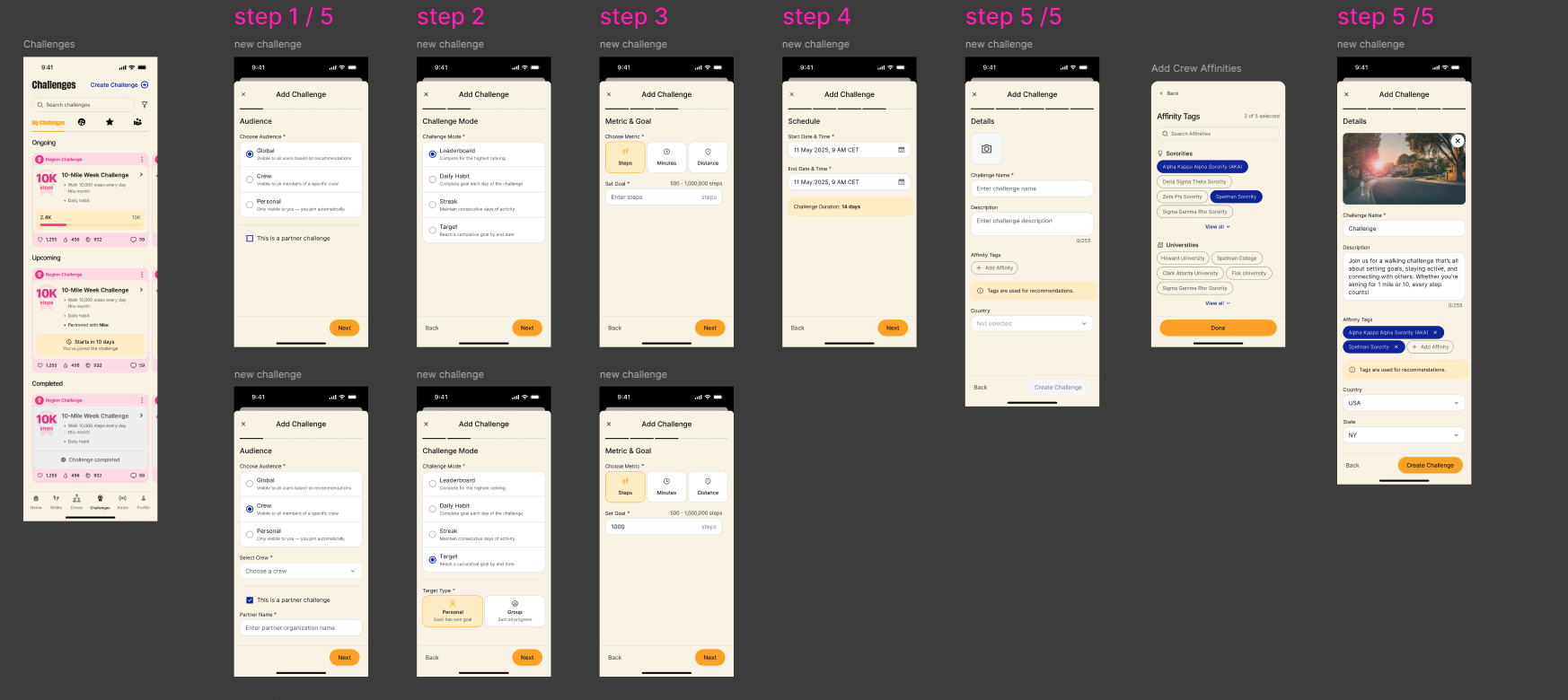
Creating a Challenge, step by step: choose your audience, pick a mode, set the metric and goal, schedule the dates, and add details.
When you create a Challenge, give it a clear, specific name and a description that says why it matters. A vague title won't inspire anyone to join, but something like Take Back Your Health: "Walk 10,000 steps every day this month toward your wellness — choose you this month!" tells people exactly what they're signing up for and why.